
Core Gameplay Loop
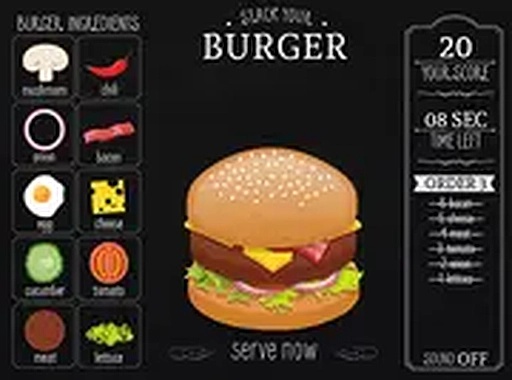
In Quick Burger Assembly Challenge, each round begins with a customer order displayed on the screen. Players must select the correct ingredients from a set of options and assemble them in the proper sequence. Once the burger is complete, a serve button delivers it to the customer. The timer starts when the order appears, and finishing before time runs out earns points. Early rounds feature simple orders, but later rounds introduce more ingredients and faster pacing, requiring careful attention and quick reactions.
Progression and Difficulty Curve
The game gradually increases in complexity. At the start, orders involve only a few ingredients, allowing players to learn the interface and build confidence. As players advance, orders become more varied and appear more frequently. This steady ramp-up keeps the experience engaging without becoming overwhelming. The difficulty curve rewards players who improve their memory and decision-making speed, making each session feel like a genuine test of skill.
Accessibility and Platform Support
Quick Burger Assembly Challenge is designed for broad accessibility. It runs directly in a web browser, requiring no downloads or installations. The game works smoothly on both mobile devices and desktop computers, with touch and mouse controls supported. A full-screen mode is available for players who prefer a more immersive view. The simple interface and clear visual cues make it easy for players of all ages to start playing immediately.
Visual and Audio Design
The game features a clean, colorful art style that emphasizes clarity. Ingredients are easy to identify, and the order display is prominently positioned. The audio includes gentle sound effects for selecting ingredients and completing orders, providing feedback without being distracting. The overall presentation is cheerful and family-friendly, reinforcing the lighthearted tone of the experience.










Comments
0 comments