Tiny Trendsetter Styling Studio

Tiny Trendsetter Styling Studio

Developer: Blue Core Games
Updated: 2026-07-21
| Dress-up , Creative , Simulation , Family , Kids , Educational , Role-playing

Review

Tiny Trendsetter Styling Studio stands out for its calm, supportive approach to teaching fine motor skills. The tool controls are intuitive, and the gradual introduction of new hairstyles keeps the experience fresh without overwhelming young players. The bright, cheerful art style and positive feedback loop make it a reliable choice for quiet, constructive playtime. It avoids the frantic pace of many kids' games, focusing instead on careful, rewarding work.

About This Game

Salon Setup & Customer Flow

Players begin by welcoming a customer from the waiting area. Each visitor arrives with a distinct style preference, displayed through simple visual cues. The game uses a straightforward selection process, letting children focus on the task at hand without complicated menus. This structure encourages repeated play as different customers cycle through, each bringing a new request.

Tool Handling & Precision Tasks

The core activity involves using on-screen tools to trim and shape hair according to the customer's request. Controls are designed for small hands, with touch or mouse input guiding the clippers along specific sections. The challenge lies in following the outline accurately while avoiding areas like the ears or face. Success depends on steady movements and careful observation.

Visual Design & Atmosphere

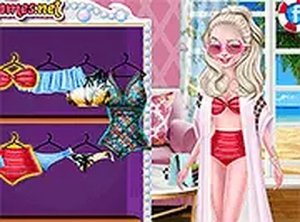
The art style uses warm, saturated colors and rounded character designs to create a welcoming space. Backgrounds feature playful details like comfy chairs and colorful decorations, reinforcing the salon theme. Animations are smooth and gentle, with positive feedback sounds when a task is completed correctly. This visual approach keeps the mood light and engaging.

Progression & Reward Structure

As players complete more styles, they unlock new hairstyles and slightly more complex requests. The difficulty increases gradually, introducing longer cuts or layered shapes. Bonus points are awarded for finishing quickly and accurately, providing a gentle incentive to improve. This system maintains interest without causing frustration.

Family-Friendly Design Philosophy

The entire experience is built around safety and positive reinforcement. There are no timers that cause failure, no scary elements, and no inappropriate themes. The game encourages experimentation within a structured framework, making it suitable for children as young as preschool age. Parents can feel confident letting kids play independently.

Compatibility

✅ This game supports:
- Desktop browsers (Chrome, Edge, Safari)
- Mobile browsers (Chrome on Android, Safari on iOS)
❌ Does NOT support: - Internet Explorer - Very old browser versions
👉 Try refreshing or updating your browser

Faq

Is Tiny Trendsetter Styling Studio free to play?
The game is typically available for free on most platforms, with optional in-app purchases for additional hairstyle packs or cosmetic items. Check the specific app store listing for details on any costs.
What age group is this game designed for?
The game is primarily aimed at children aged 3 to 8 years old. The simple controls, bright visuals, and non-competitive nature make it accessible for preschoolers, while the increasing challenge keeps older kids engaged.
Does the game require an internet connection?
No, Tiny Trendsetter Styling Studio can be played offline once downloaded. This makes it a great option for car rides or other situations where Wi-Fi is not available. Some features like updates may require a connection.
Are there any ads in the game?
The game may include non-intrusive ads, such as banner ads at the bottom of the screen or optional video ads to earn extra rewards. There are no full-screen pop-ups that interrupt gameplay, ensuring a child-friendly experience.
Can multiple children use the same device?
Yes, the game does not require a personal account or save file per user. Each session starts fresh, so multiple children can take turns playing on the same device without interfering with each other's progress.
What happens if a child makes a mistake while cutting?
The game is forgiving and does not penalize mistakes harshly. If a cut goes outside the intended area, the customer may show a slight frown, but the player can continue. The goal is to encourage learning through practice, not to punish errors.

Comments

0 comments
U
User
Loading comments...