Ocean Art Studio: Mermaid Coloring
Developer: Lunar Core Creations
Updated: 2026-07-20
Kids Junior Anime

Ocean Art Studio: Mermaid Coloring

Reviews

Ocean Art Studio: Mermaid Coloring succeeds by offering a focused, relaxing activity for children and anime enthusiasts. The variety of drawing complexities means it grows with the child, while the simple tools eliminate frustration. The ability to save and revisit artwork adds replay value. It is a solid choice for parents seeking a calm, creative screen-time option that fosters patience and color sense without competitive pressure.

About this game

Creative Freedom at Your Fingertips

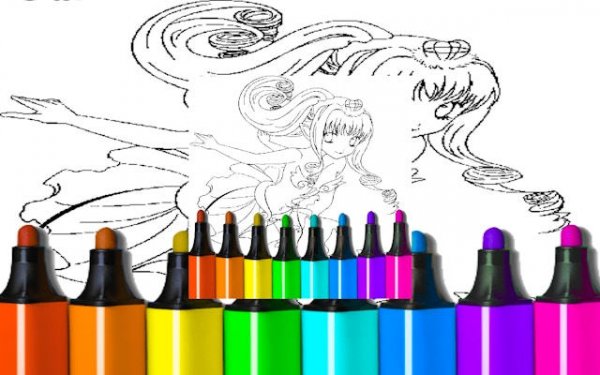
Ocean Art Studio: Mermaid Coloring is built around a simple, satisfying loop: pick a mermaid illustration, select colors from a generous palette, and paint each section to bring the image to life. The interface is straightforward, making it easy for young players to start without any confusing menus. Each drawing is designed to be completed at your own pace, encouraging experimentation with different color combinations.

Artwork Selection and Variety

The game includes a collection of anime-style mermaid drawings that range from simple outlines to more intricate scenes. Beginners can start with basic shapes and large areas, while those looking for a challenge can tackle detailed compositions with many small sections. This variety keeps the experience fresh and allows players to choose a drawing that matches their mood or skill level.

Tools Designed for Ease of Use

A set of intuitive tools supports the coloring process. A brush tool fills selected areas, a zoom function helps with precise work on small details, and undo and erase options let you correct mistakes without starting over. The palette offers a wide spectrum of colors, so you can create realistic or imaginative mermaids with unique scales, hair, and tails.

Preserving and Sharing Your Work

Completed artwork can be saved directly to your device, allowing you to build a personal gallery of finished pieces. The save feature also lets you revisit a drawing later to try a different color scheme. This flexibility encourages multiple creative attempts on the same illustration, helping you see how color choices change the overall feel of the image.

Mindful Relaxation for All Ages

With no time limits, scores, or competitive elements, Ocean Art Studio: Mermaid Coloring promotes a calm, focused activity. The repetitive motion of selecting and applying colors can be soothing, making it a good choice for winding down after school or on a quiet afternoon. Parents may find it a useful tool for encouraging quiet, screen-based creativity without overstimulation.

Compatibility

✅ Works on PC & Mobile | Recommended: Chrome / Safari / Edge
PLAY NOW
Advertisement

Faq

Is Ocean Art Studio: Mermaid Coloring free to play?
Yes, the game is free to access and play. There are no hidden fees or subscriptions required to use the coloring tools or save your artwork. Some optional features or additional drawing packs may be available through in-app purchases, but the core experience is fully free.
Can I print the mermaid drawings from the game?
Ocean Art Studio: Mermaid Coloring is designed for digital coloring within the app. It does not include a print function. However, you can save your finished artwork as an image file and then print it using your device's standard printing options.
What age group is this game suitable for?
The game is designed for children and young anime fans, typically ages 4 to 12. The simple interface and lack of text-heavy instructions make it accessible for younger players, while the more detailed drawings can engage older children who enjoy coloring.
Does the game require an internet connection to play?
Ocean Art Studio: Mermaid Coloring can be played offline once it is fully loaded. An internet connection is only needed to download the game or to access any new drawing packs that may be added later. This makes it convenient for travel or areas with limited connectivity.
Are there any in-app advertisements?
The game may contain occasional advertisements, which are common in free apps. These ads are typically displayed between coloring sessions and are not intrusive to the gameplay itself. Parents can monitor ad content to ensure it remains family-friendly.
Can I use my own photos or images in the game?
No, Ocean Art Studio: Mermaid Coloring only allows coloring of the pre-loaded mermaid illustrations. You cannot import your own images or photos to color. This keeps the experience focused on the curated anime-style artwork provided by the developers.

Comments

0 comments
U
User
Loading comments...